
Microsoft Sentinel
Cloud-native SIEM and SOAR for collecting, detecting, investigating and responding to security events.
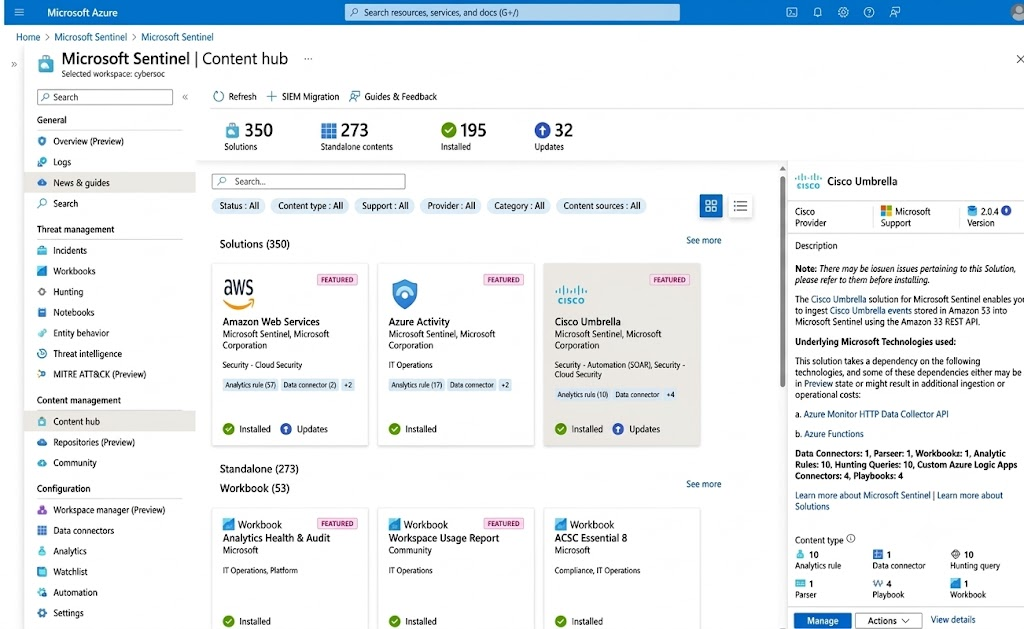
Technical Overview
Microsoft Sentinel is a cloud-native SIEM and SOAR built on Azure Log Analytics. It ingests security data from Microsoft and third-party sources, applies analytics and threat intelligence, and turns noisy events into prioritised incidents.
Data is collected through connectors (Microsoft services, Syslog/CEF, REST APIs, agents), stored in a Log Analytics workspace and queried with KQL. Analytics rules, UEBA, workbooks and playbooks sit on top of that single data layer.
How Microsoft Sentinel works
A five-step technical flow.
Technical architecture
Operating flow of Microsoft Sentinel from onboarding to outcome.
- 01Data connectorsMicrosoft, network, identity, SaaS and custom sources feed the workspace.
- 02Log Analytics workspaceNormalised tables (ASIM) hold events, with tiered retention.
- 03Analytics & UEBARules, threat intelligence and behaviour analytics raise alerts.
- 04Incidents & huntingAlerts group into incidents; analysts pivot with KQL and entities.
- 05Automation (SOAR)Automation rules and playbooks enrich, notify and contain.
Data connectors → Log Analytics workspace → Analytics & UEBA → Incidents & hunting → Automation (SOAR)
Core Capabilities
Sentinel supports scheduled, near-real-time and anomaly-based analytics rules, fusion-style multistage attack detection, incident investigation graphs, KQL hunting with bookmarks and notebooks, and automation rules and Logic Apps playbooks for enrichment, ticketing and containment. Content hub solutions provide packaged detections, workbooks and connectors.
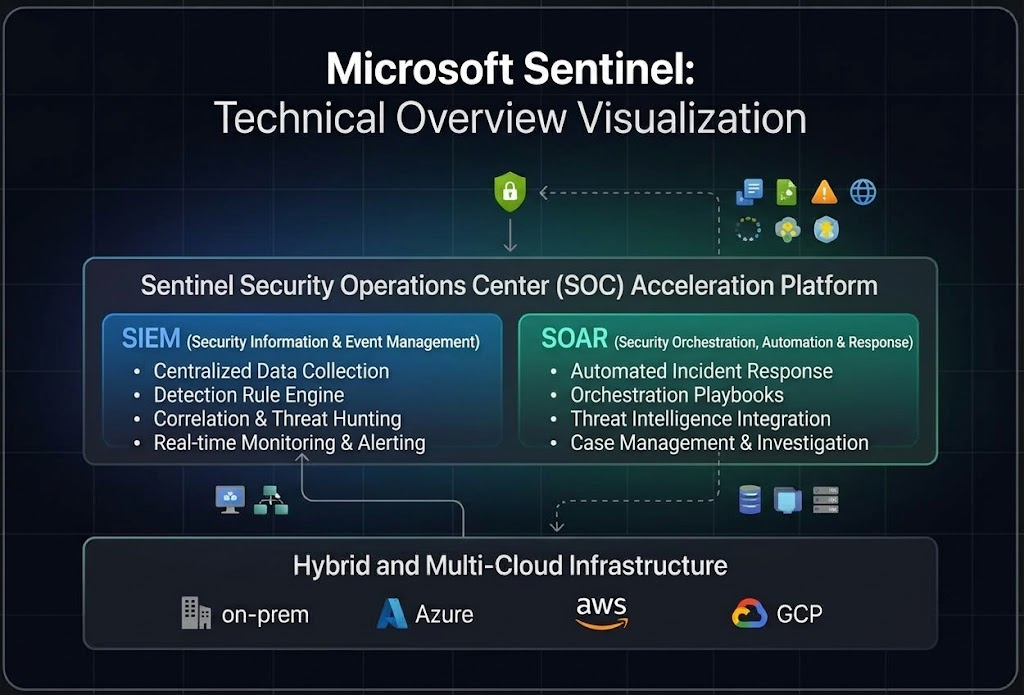
Integrations
Sentinel connects natively with Microsoft Defender XDR (unified incidents), Microsoft Entra ID, Defender for Cloud, Microsoft 365 and Azure activity logs. Firewalls, proxies, EDR, identity providers and SaaS apps connect via Syslog/CEF, Azure Monitor Agent or REST/Codeless connectors, and ITSM tools via Logic Apps.
Key benefits
Main outcomes you can expect.
- 01Central SIEMOne place for logs, detections and investigations.
- 02Elastic ScaleCloud scale without SIEM hardware to manage.
- 03AutomationPlaybooks cut repetitive triage and response work.
- 04Cost ControlTable plans, retention tiers and commitment pricing.
Implementation Approach
We design the workspace layout and data-ingestion plan, connect priority sources, validate event quality, then enable and tune analytics rules and suppression logic. Workbooks, automation rules and playbooks with approval steps follow, along with retention, access (RBAC) and cost governance, and analyst runbooks.
Operational & Security Considerations
Ingestion volume drives cost, so define data priorities, filtering and retention early. Use least-privilege Sentinel roles, restrict playbook permissions, and test analytics and automation in a controlled scope. Confirm current pricing, regional availability and connector support for your tenant before rollout.
How ISS Technologies Helps
ISS Technologies assesses your environment, implements and integrates Microsoft Sentinel, and supports your team in day-to-day operations. Related service: Managed SOC.